



Batch coding
Assign one permanent identity when a finished batch is produced.
Ri'SERVE M connects goods receiving, Batch coding, BOM, Production orders, and Multi-location inventory. Every finished batch carries one identity into warehouse, dispatch, and outlet operations.
Book a manufacturing walkthrough
294
SKUs
3
production units
19
outlets
Week one
first live batch coded
The record begins when material arrives and keeps the same supplier, quantity, production, batch, and location context as it moves.
Raw material and supplier lot arrive.
The goods receipt note records the delivery.
The weighbridge reading confirms quantity.
Material is allocated to a production order.
Expected material consumption is defined.
Finished output receives one batch identity.
Finished goods become visible by location.
The batch identity continues into the wider chain.
These are the manufacturing capabilities available in the guided pilot today.
Assign one permanent identity when a finished batch is produced.
Record what physically arrived against the goods receipt note.
Define the materials and nested subassemblies required for each product.
Track planned, active, and completed production work.
See material and finished-stock quantities across production units.
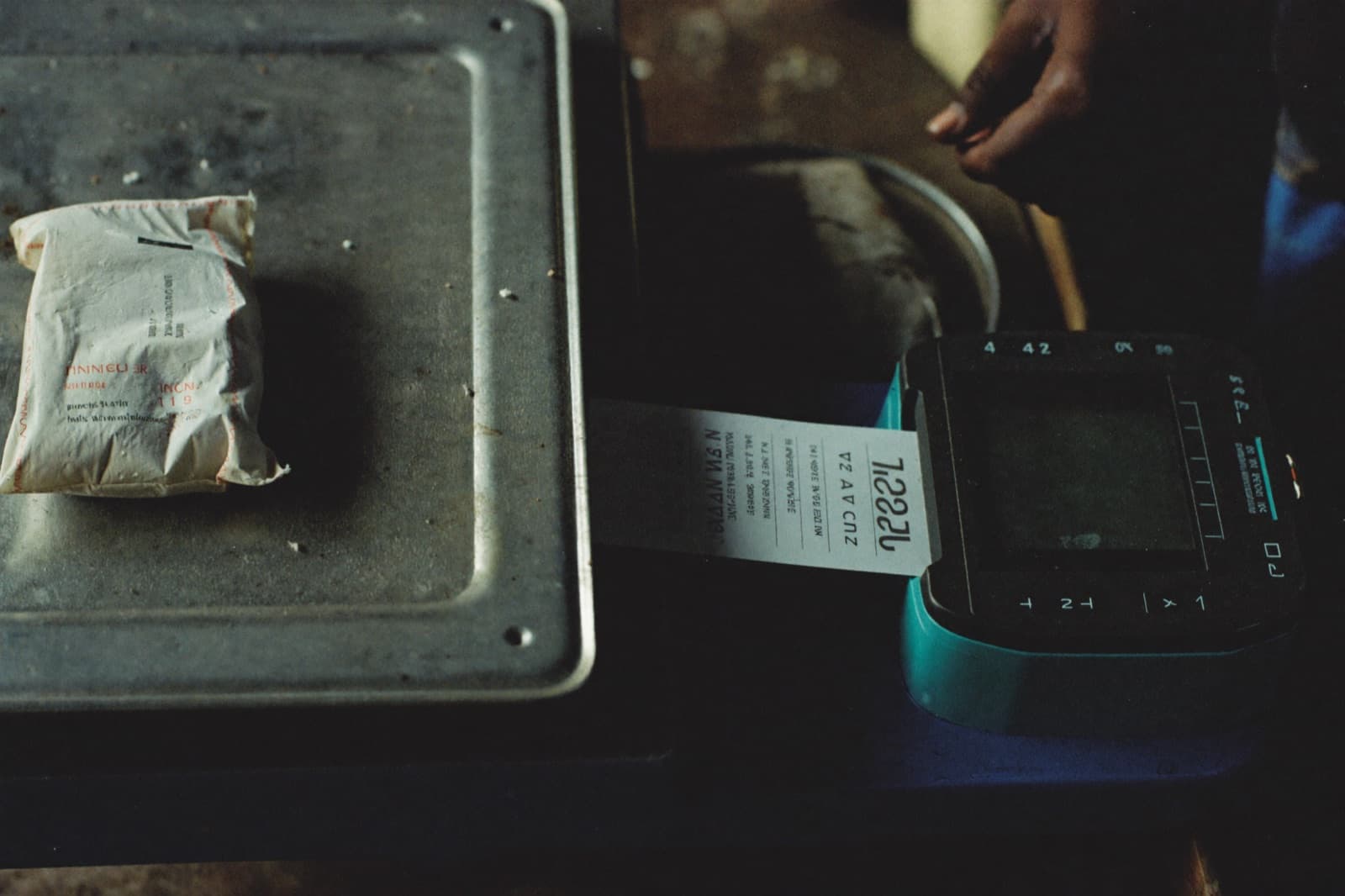
Capture the weighbridge reading directly against the goods receipt note (GRN), instead of writing it on paper and entering it later. Supplier, material, quantity, lot, and receiving location begin the record together.
Follow the work from plan to available finished stock without replacing the real floor with a status column.
01
Planned
02
Materials allocated
03
In production
04
Output recorded
05
Batch coded
06
Completed
07
Stock available
Ri'SERVE M replaces the break between what happened on the floor and what eventually reached the spreadsheet.
Our BOMs live in spreadsheets that drift out of sync with what's on the floor.
Built once in a structured BOM, reused on every order, with nested subassemblies supported natively.
We can't trace a batch back to what it was made from once it's left the floor.
Every batch gets an automatic code the moment it's produced, tied to what went into it.
GRN weight gets written on a slip and re-keyed later, if it gets keyed at all.
GRN captures the weighbridge reading directly, so what's received matches what's recorded.
Stock across production units is only visible if someone calls around and asks.
Inventory across every location shows in one place, not four spreadsheets and a phone call.
These capabilities are being built on top of the pilot record. They are not presented as available today.
Calculate what a finished batch actually cost to produce.
Compare expected output with the quantity that came off the floor.
Turn material requirements into supplier purchase orders.
The guided pilot starts small enough to run on the floor, then expands from a working record.
01
Walk through receiving, production, and finished-stock movement as it runs today.
02
Bring in SKUs, materials, BOMs, units, and locations.
03
Start with a bounded live flow instead of a company-wide implementation.
04
Run the first production order with the founding team alongside your operators.
05
Add products, production units, and downstream locations once the first flow is stable.
Ri'SERVE M is managed software with founding-team onboarding. Start with the manufacturing data and flow that must move first, without hiring a separate implementation partner.
Ri'SERVE M is designed for process and discrete manufacturers that need structured receiving, production, batch or serial traceability, and stock across multiple locations.
The pilot includes Batch coding, GRN with weighbridge capture, BOM, Production orders, and Multi-location inventory.
The suite is running with real manufacturing operations and is onboarded directly by the founding team. The pilot begins with a scoped production flow and agreed monthly pricing.
We map one receiving-to-production flow, load the required operating data, configure one unit, code the first live batch, and then expand.
Yes. Multi-location inventory is built into the pilot, and the current operating environment spans three production units.
M creates the manufacturing and batch record. R receives the same batch identity at the outlet, so a sale can trace back to the production batch that supplied it.
Yes. The pilot scopes the data and operating flow that need to move first. Ri'SERVE is managed software and does not require a separate implementation partner.
Pricing is agreed after a walkthrough of your production units, SKUs, locations, and the first flow selected for the pilot.
Start with one production flow and expand across products, units, and locations.
Book a manufacturing walkthrough